The My Team dashboard
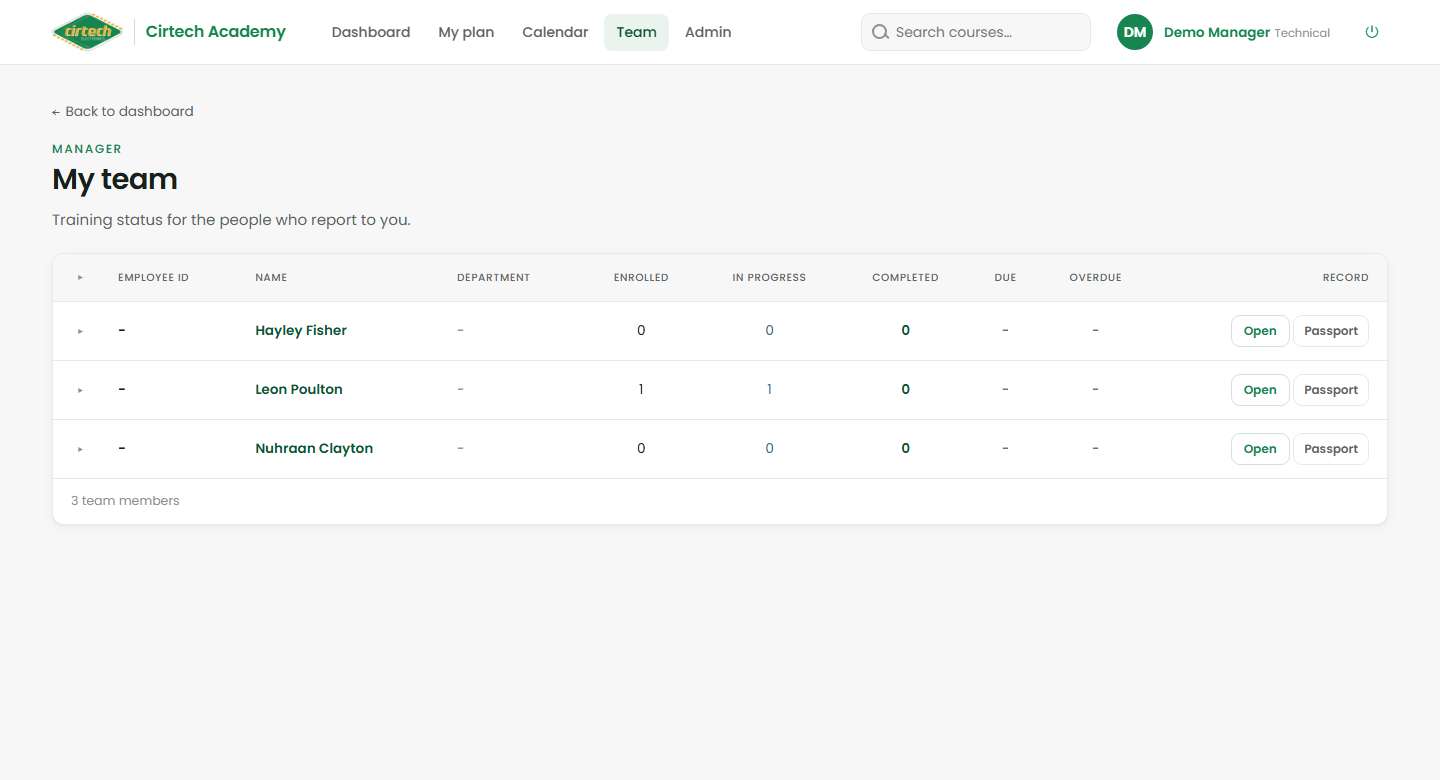
When you manage people, a Team link appears in the top navigation. It opens My team – a list of everyone who reports to you, with their training status at a glance: how many courses they are enrolled in, in progress, completed, and any certificates due for renewal or expired.
Click the arrow on any row to expand it and see a quick summary – their training, goals, coffee sessions and last review – without leaving the page. Click a person’s name to open their full profile.
The calendar
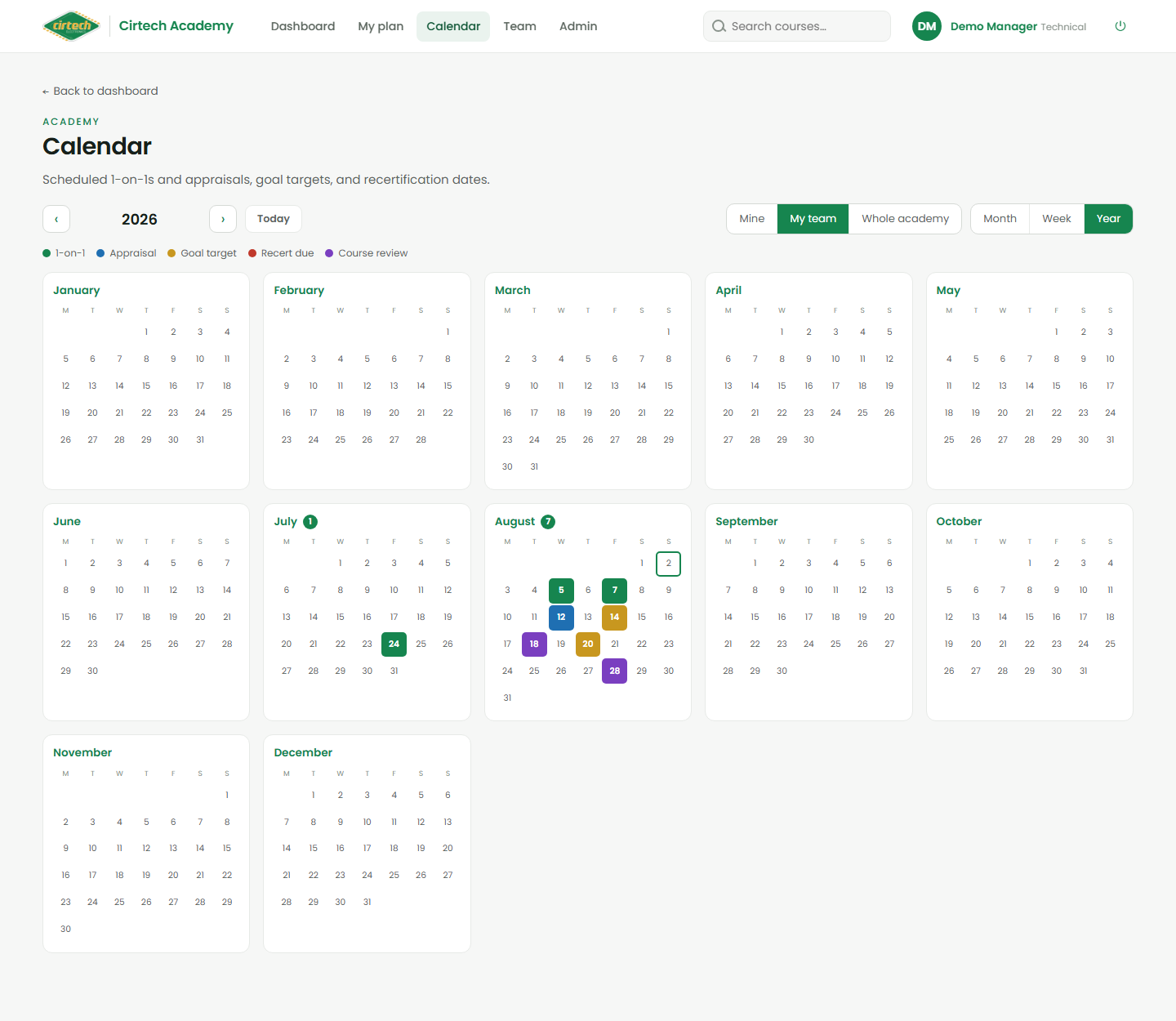
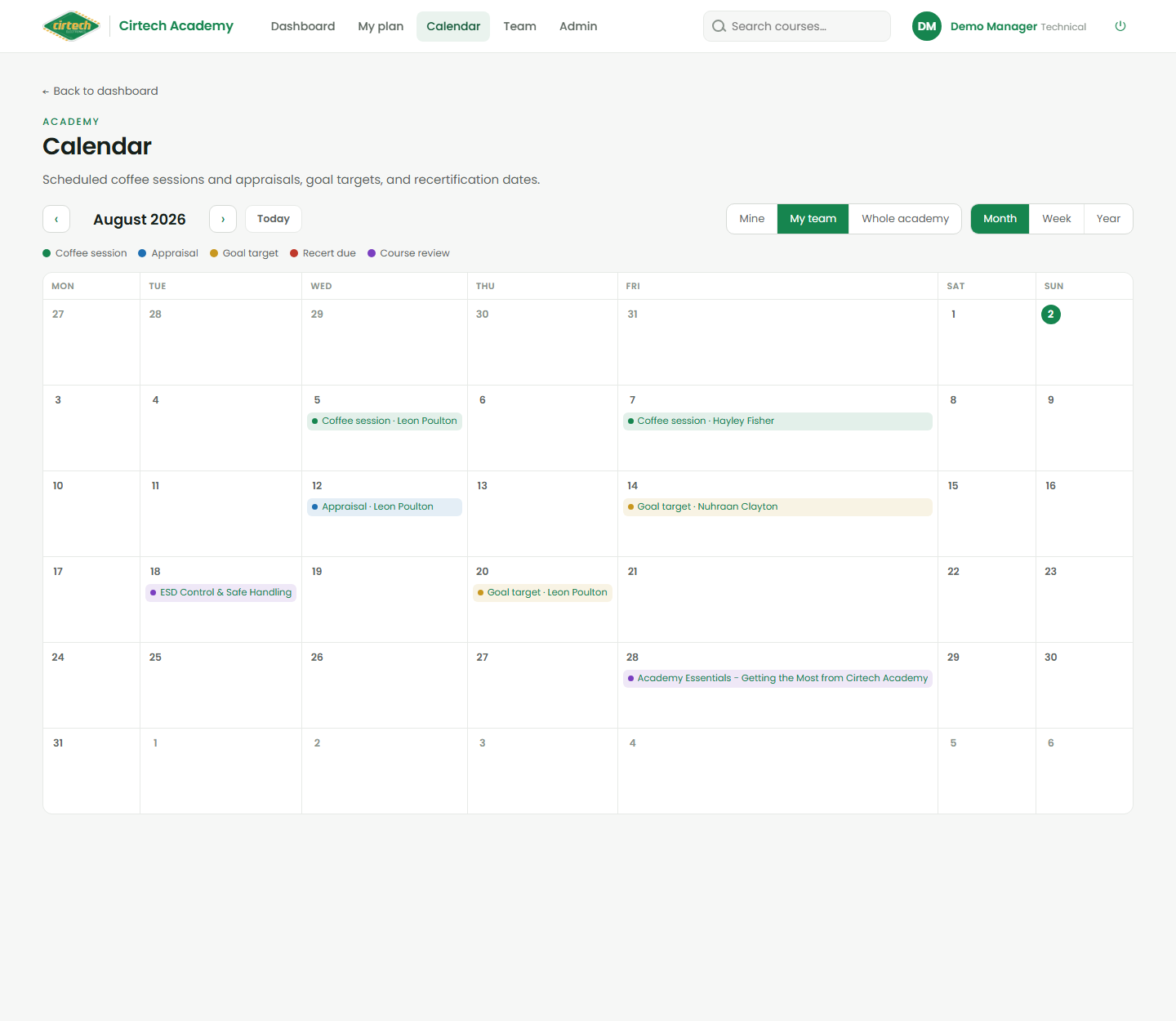
The Calendar in the top menu brings every dated thing into one place: scheduled coffee sessions and appraisals, goal target dates, and recertification dates when a certificate is due to expire. Switch between Month, Week and Year, and use the scope switch to see just your own dates, your team, or the whole academy. Click any item to jump straight to it.
The Year view is a fast way to spot a busy month or an upcoming wave of recertifications.